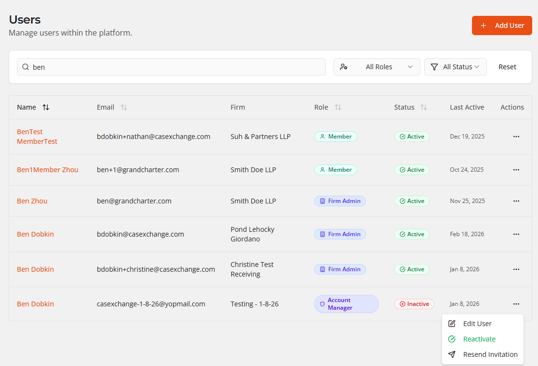
Only Users with Firm Admin Role can create or manage users
-
Navigate to
 on the sidebar
 -
Click
 , you can also search to see if the user already exists as well
 -
Fill out the pertinent details about the user. Their email will also be their username. Their Role will determine their access to the platform as described in User Roles.
-
Once you’ve entered in the pertinent details click
 . This will send them an email with instructions on how to create their account.
 -
As an admin, you can monitor their status as highlighted below. If they do not click the welcome email with 3 days, you will have to resend the invitation by clicking on the action dots to reveal the dropdown shown below.