Simple Messaging
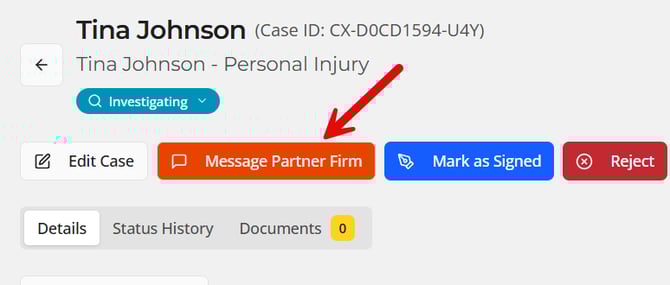
Clicking "Message Partner Firm" as shown below opens up a window to transmit a message to your partner firm.
The message is both stored in status history and sent in an email to the default notification recipients for the firm.
Messaging for Updates
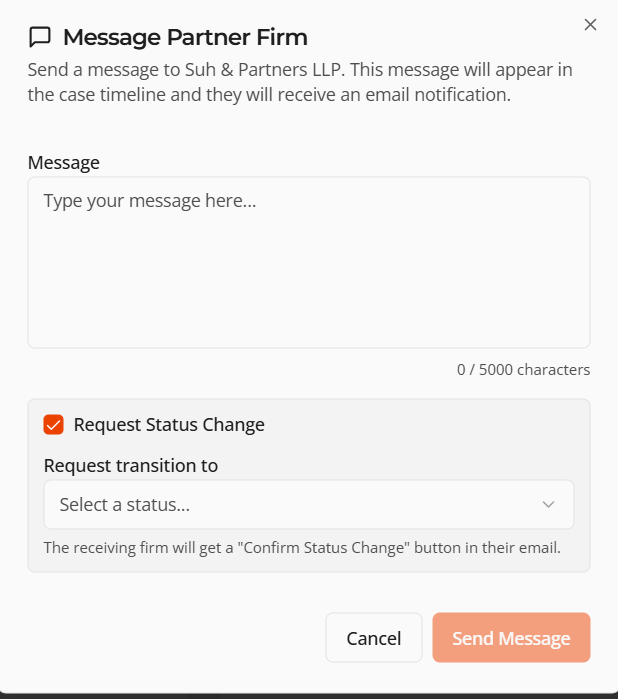
As a sending firm you can also use this feature to request a status update. When doing so, the receiving firm will just need to click confirm from the email to update the status. This can be used when you heard over email a case was signed but it was not yet updated in the system.
Be sure to check the "Request Status Change" bow as shown in the screenshot below and specify the status it should move to. This information is all included in the email to the partner firm, text in the message is required a long to request a status update.